What the platform does
Each part below shares one member record, so a PR logged in the app shows up on the TV board, in the coach's notes and in the parent's report. Screenshots are the real product running on a demo gym; no real members are shown.
On this page: Coach console, Billing, Programming and testing, Member app, TV boards, Families, Website, Reports, Switching over, Data and security.
Coach console
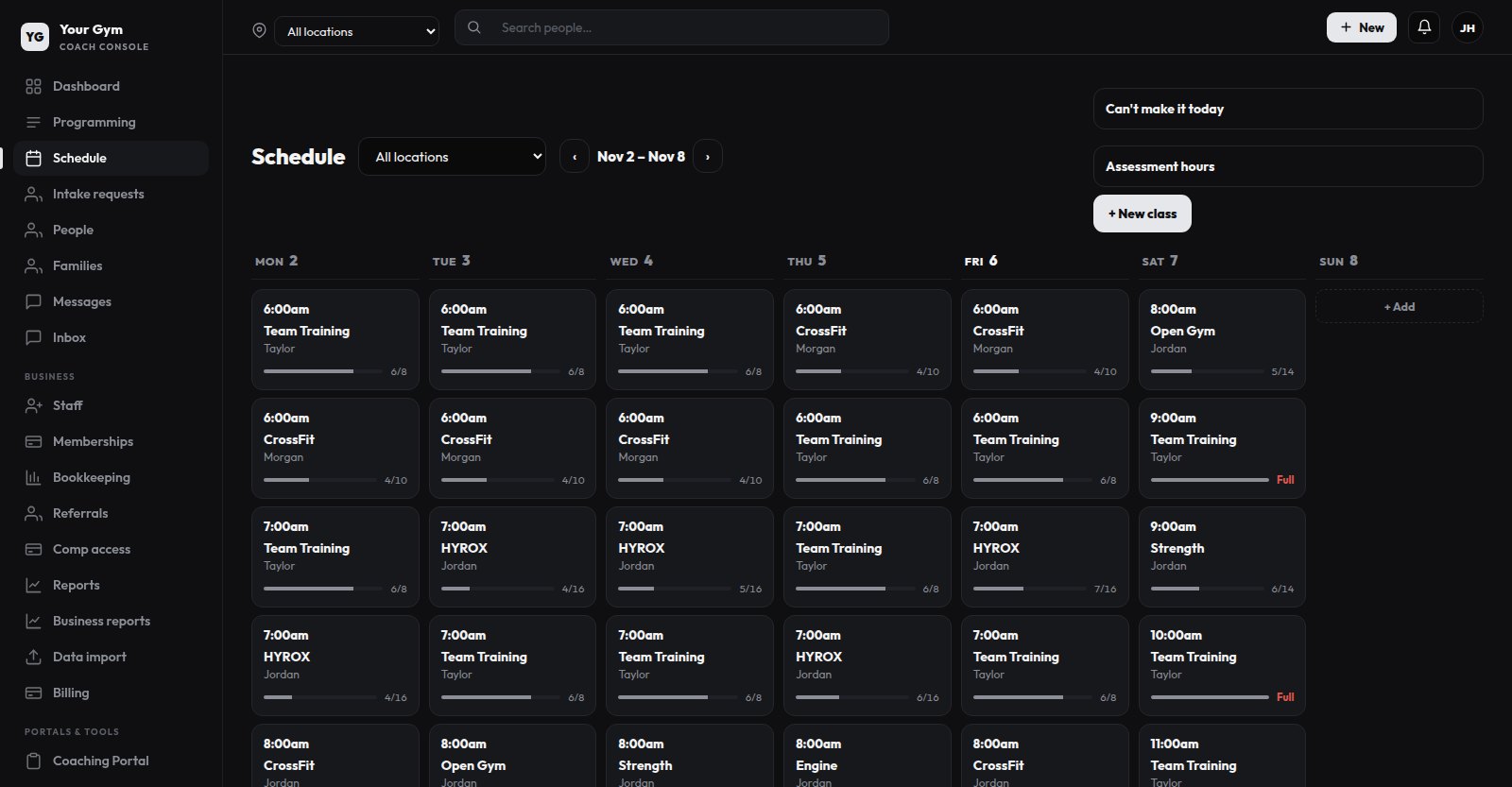
A web console for the front desk, coaches and the owner. Staff roles control who can see billing, reports and member details.
- Classes, rooms, locations and recurring weekly schedules
- Waitlists that book the next person automatically when a spot opens
- Booking rules: how far ahead members can book, daily limits, waiver signed before booking
- No-show and late-cancel rules with the reminders and penalties you set
- Holiday closures, with a message to everyone who was booked
- Two-way messages with members, announcements and session reminders
Memberships and billing
Members pay your gym through your own Stripe account at Stripe's normal rates. We don't add a fee. If you'd rather not deal with Stripe at all, managed payments costs a flat 5% per payment, Stripe's fees included.
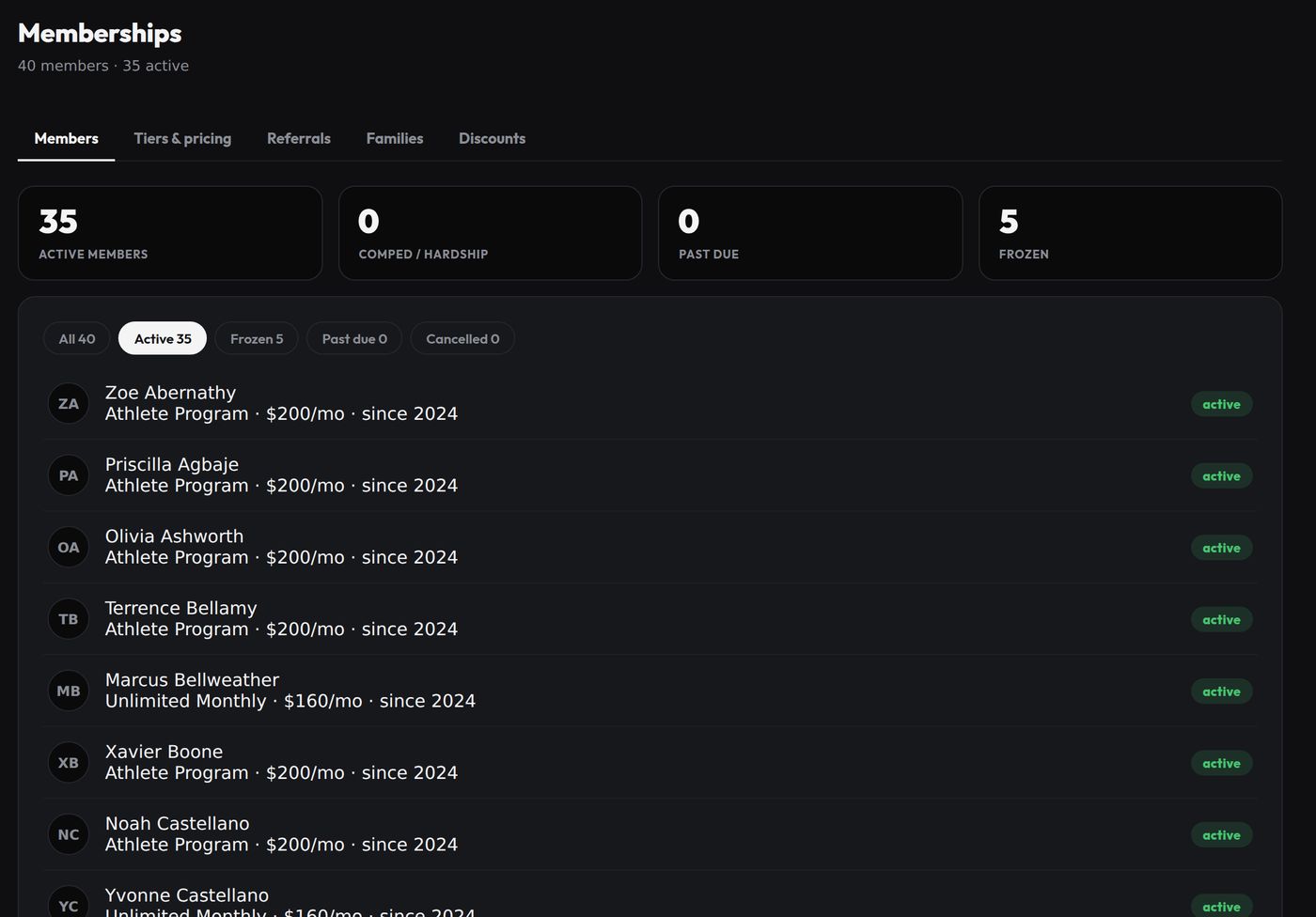
- Plans with weekly or monthly class allowances
- Freeze, resume, or cancel now or at the end of the period
- Discount codes, referral credits, hardship and comped memberships
- Past-due handling with a grace period you choose
- Members update their own card in Stripe's customer portal
Programming and testing
Build workouts and monthly program templates, assign them to a person or a whole team, and see every set that gets logged. Test results become PRs, leaderboard entries and a training-report PDF.
- Blocks, supersets, AMRAP and EMOM, tempo and load prescriptions
- Exercise library with demo videos and custom measurements
- Monthly and all-time PRs, goals and working maxes
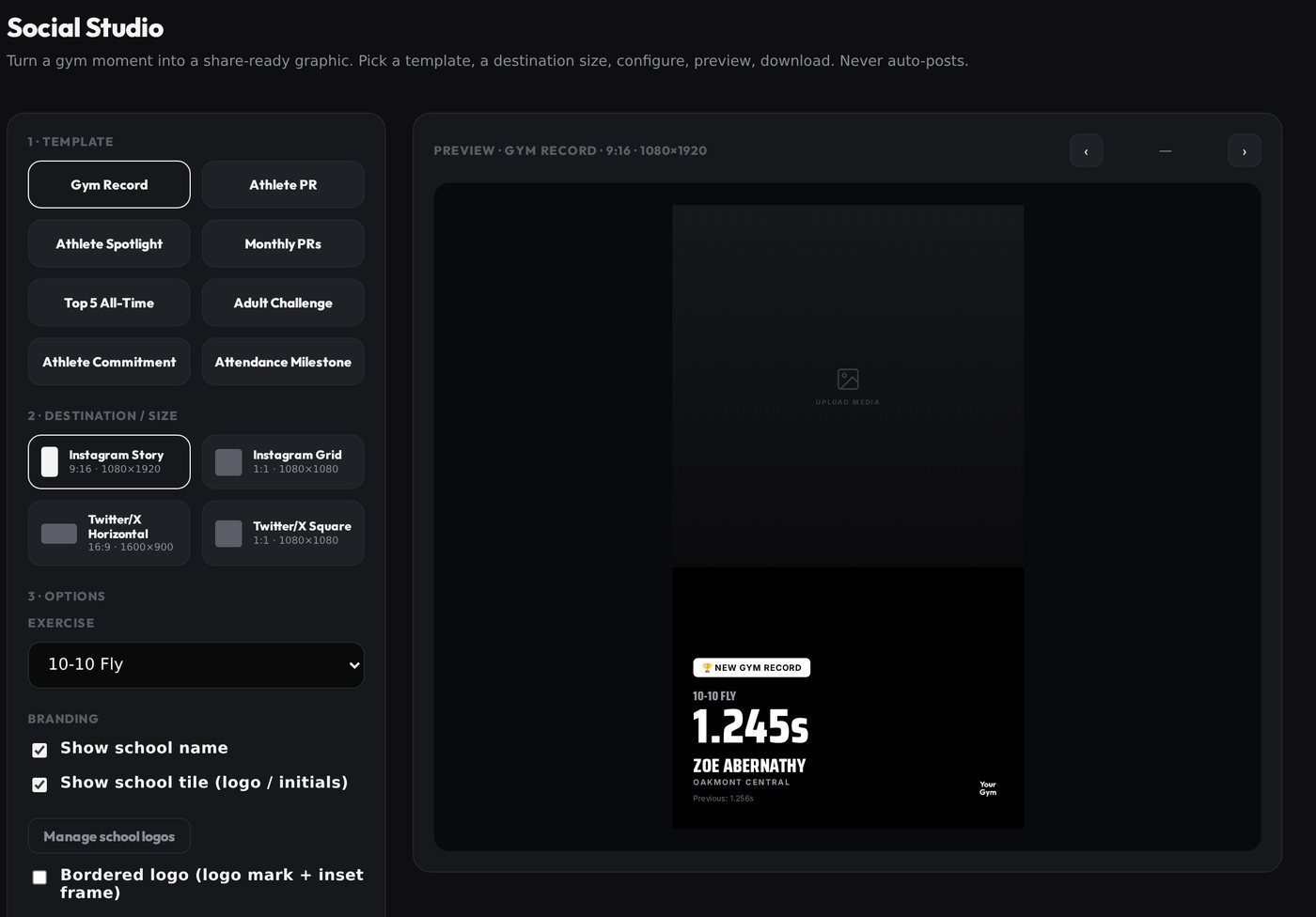
- Social Studio: graphics for Instagram made from a logged PR or gym record
Member app
One app, built separately for each gym with its own name, icon and colors, and published under the gym's own Apple developer account, with Google Play to follow. Setting it up and publishing updates is included on Elite.
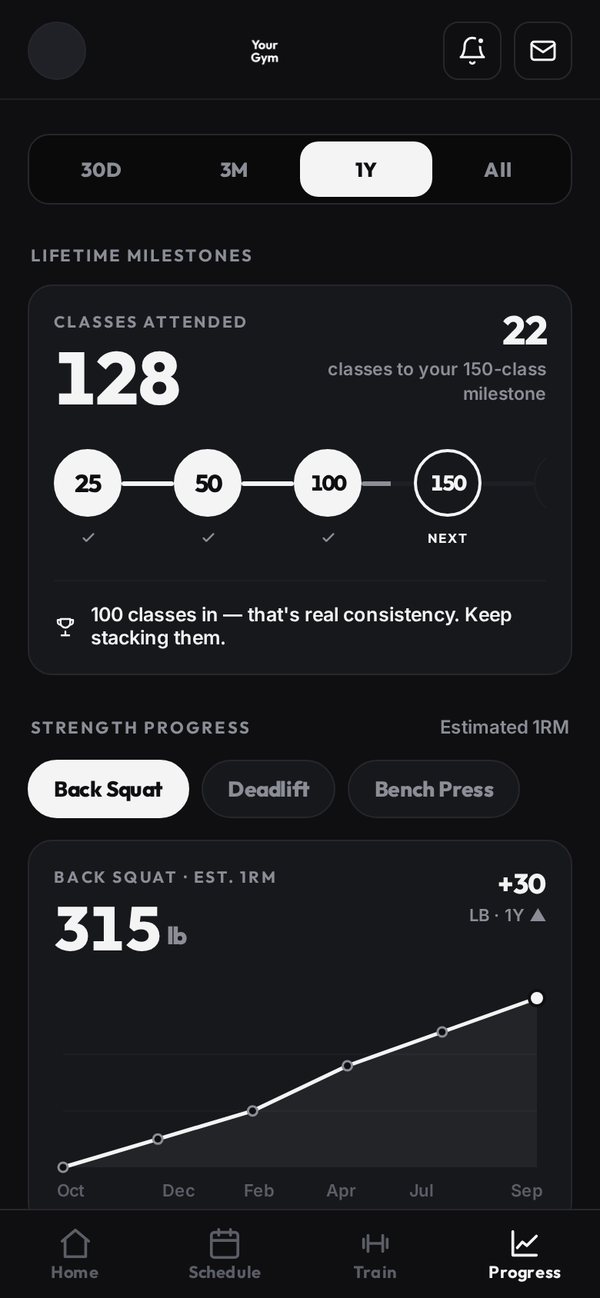
- Book, cancel, join waitlists and set recurring bookings
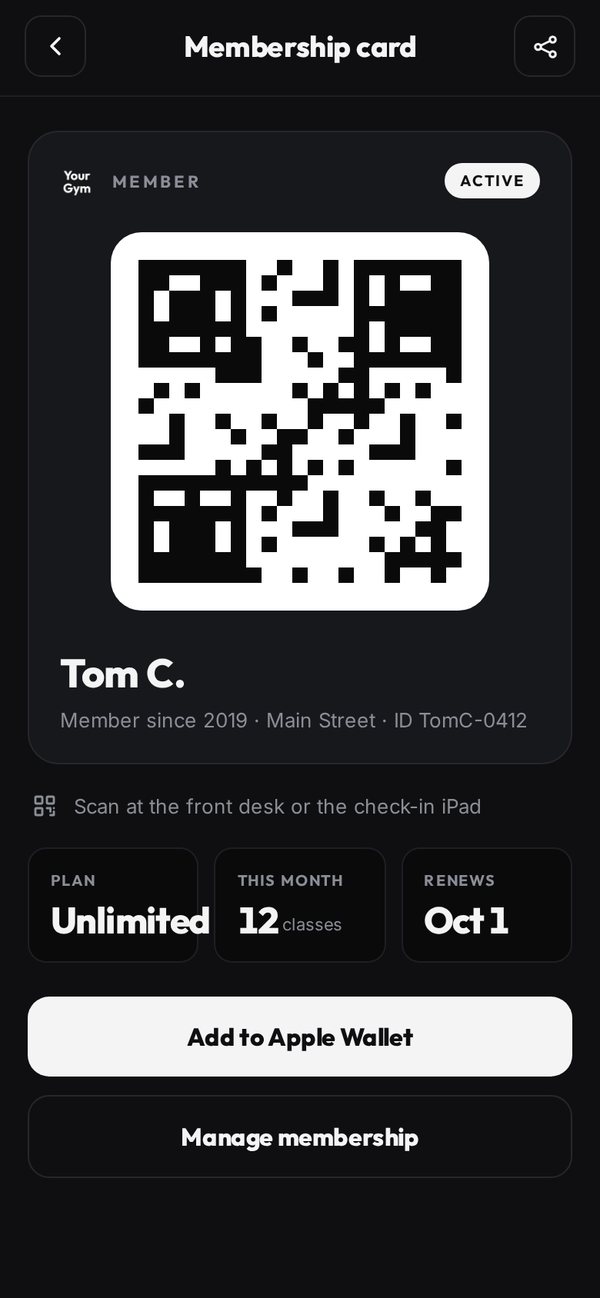
- QR membership card for check-in at the desk or kiosk
- Today's workout with coach cues, demo videos and percentage loads
- Readiness check-in before class, goals, working maxes and progress charts
- Timers for AMRAP, EMOM, Tabata and race stations
- Messages with coaches; notifications when a waitlist spot opens
TV boards
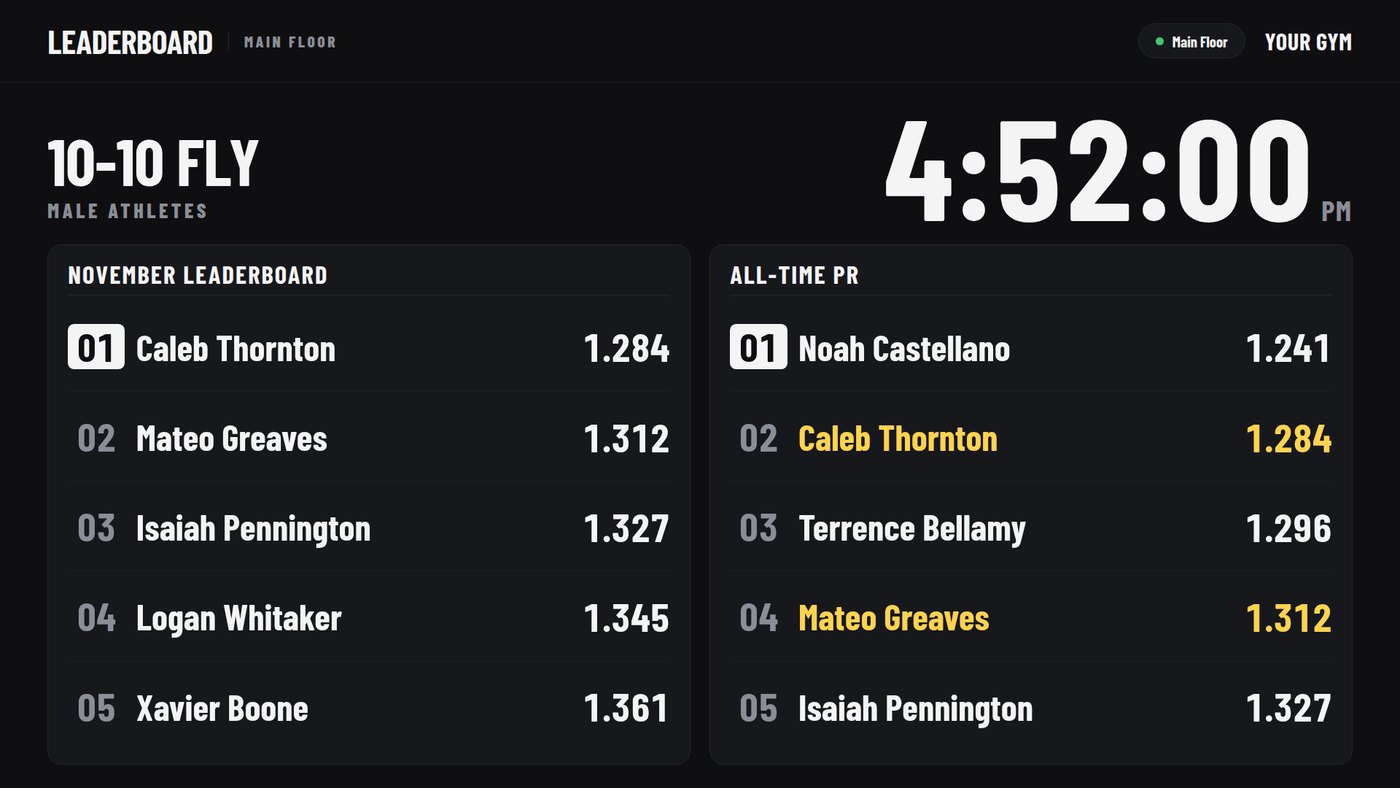
The TV board runs on an Apple TV with our app, or in a web browser on a smart TV or a small computer behind the TV. It rotates through leaderboards by test, most-improved, team boards, challenges and birthdays.
For group conditioning, a coach starts a live board. Athletes mark their own rounds and stations from their phones, or the coach does it, and the TV keeps up.
- Leaderboards update from logged results; nobody keeps a spreadsheet
- Monthly challenges
- Members can keep themselves off public boards
Families and youth athletes
Gyms that train kids need parents involved and children's data handled carefully. This is part of the member record, not an add-on.
- Parents and kids. A parent can book, pay and see progress for each child from one login.
- Family billing. Bill a family together or each member separately, with a sibling discount and a cap you set.
- Under 13. A parent completes the intake and confirms it. No contact details are stored for the child.
- School and club coaches. An observe-only login that shows their own roster's testing and attendance and nothing else.
- Teams. Team rosters, team-only sessions, team leaderboards, and college-commitment graphics with school logos.
- Consent. Photo and video consent is recorded at sign-up, and members can opt out of leaderboards and social posts.
Website and intake
Every plan has an intake form that takes the waiver and lets a new client book an assessment in the same visit. On Elite, we also design, build and host a website for your gym.
- Programs, coaches, memberships and locations come from the platform, so the site stays current
- A parent or guardian is required for anyone under 18
- New sign-ups wait in a review queue and become members in one click
Reports
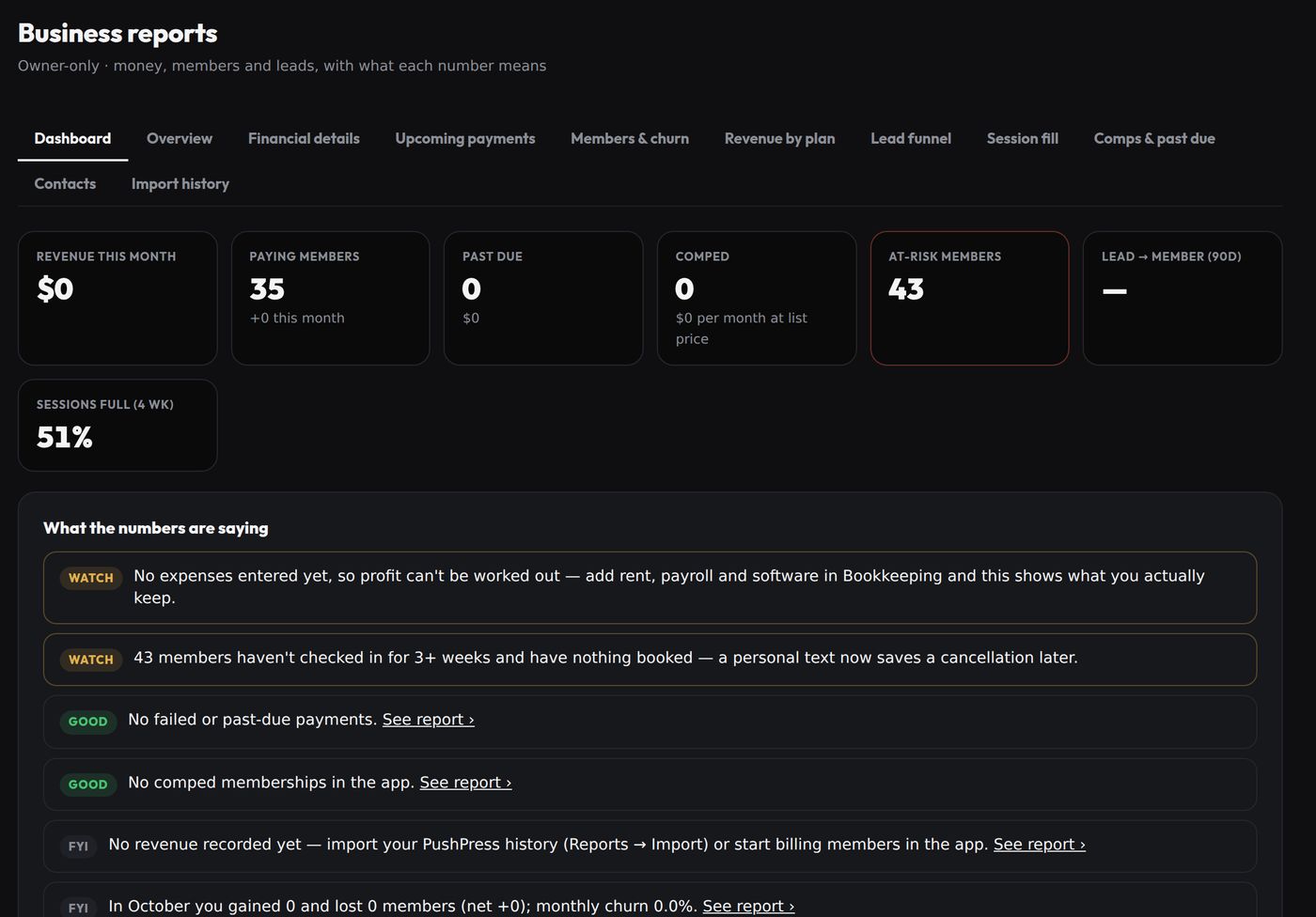
Owner-only reports on money, members and attendance, each with a one-line note on what the number means.
- Revenue by plan and upcoming payments
- Members who haven't checked in for three weeks and have nothing booked
- Lead funnel and session fill
- Bookkeeping and profit-and-loss on Elite
Switching over
Standard onboarding and migration are included. White-glove go-live (full history import, staff training and an on-site launch day) is a one-time $499.
- Demo call. We go through how your gym runs today and what you use for booking, billing and programming.
- Agreement and checklist. You sign the services agreement and get a login to the client portal, which has a checklist of everything we need from you: logo, locations, membership plans and prices, coach bios, and your waiver and terms.
- Your own instance. We set up a separate copy of the platform for your gym, with its own database, your name, logo and colors, your locations and your plans.
- Your data. You send exports from your current software. Training history from TrainHeroic and contacts and payments from PushPress import directly, with a preview before anything is saved. For anything else, we move the members, families and memberships for you.
- Stripe. You connect your own Stripe account from your console (Business, Billing). If members' cards are already saved in that Stripe account, they stay. Cards held by another processor can't be transferred, so those members add a card once in the new app, timed around your billing date so nobody is charged twice or skipped.
- Run both side by side. Your staff use the new console alongside the old system, we pair the gym TVs, and you pick a go-live date in writing.
- Go-live. Members get their invites to the app, and we point your domain at the new site, with a tested way back if something goes wrong.
Data and security
- Two-factor sign-in with an authenticator app and recovery codes. You decide whether staff must use it.
- Audit log. Every change records who made it and when.
- Your data stays yours. Members can download or delete their own data.
- Support access. When we help with your account, member names and photos are hidden from us by default.
- Backups. Databases are backed up every night, encrypted, and kept for 30 days.
- Not for clinical records. The platform isn't HIPAA-compliant and we don't sign business associate agreements, so it isn't suitable for physical therapy patient records.
Talk to us
The demo is a 30-minute video call. We'll show you the console, the member app and the TV board on a demo gym, ask how you run things now, and tell you plainly whether it would fit. Use the form on the contact page or email [email protected].