Gym software for strength and sports-performance gyms
Scheduling, memberships, workout programming, athlete testing, a member app and the TV on your gym floor, in one system that runs under your gym's name. Billing goes through your own Stripe account. Built and supported in Pittsburgh.
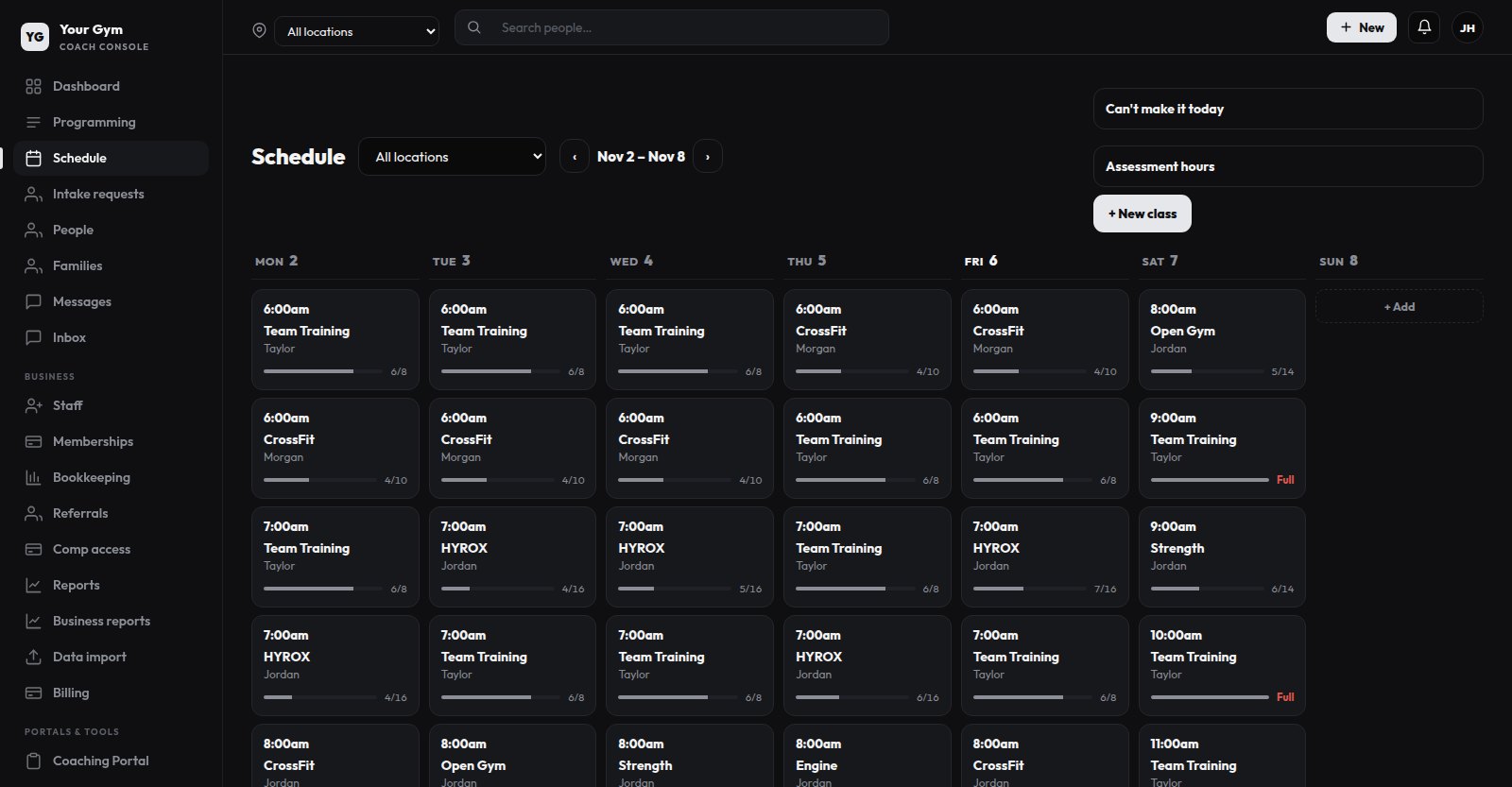
What it does
- Classes and check-in
- Recurring weekly classes with capacity limits and waitlists. When someone cancels, the next person on the waitlist is booked and notified. No-show and late-cancel rules, and check-in by QR code or a kiosk tablet.
- Memberships and billing
- Plans with weekly or monthly class allowances, family billing with sibling discounts, freezes, discount codes and past-due handling. Charged through your own Stripe account.
- Programming
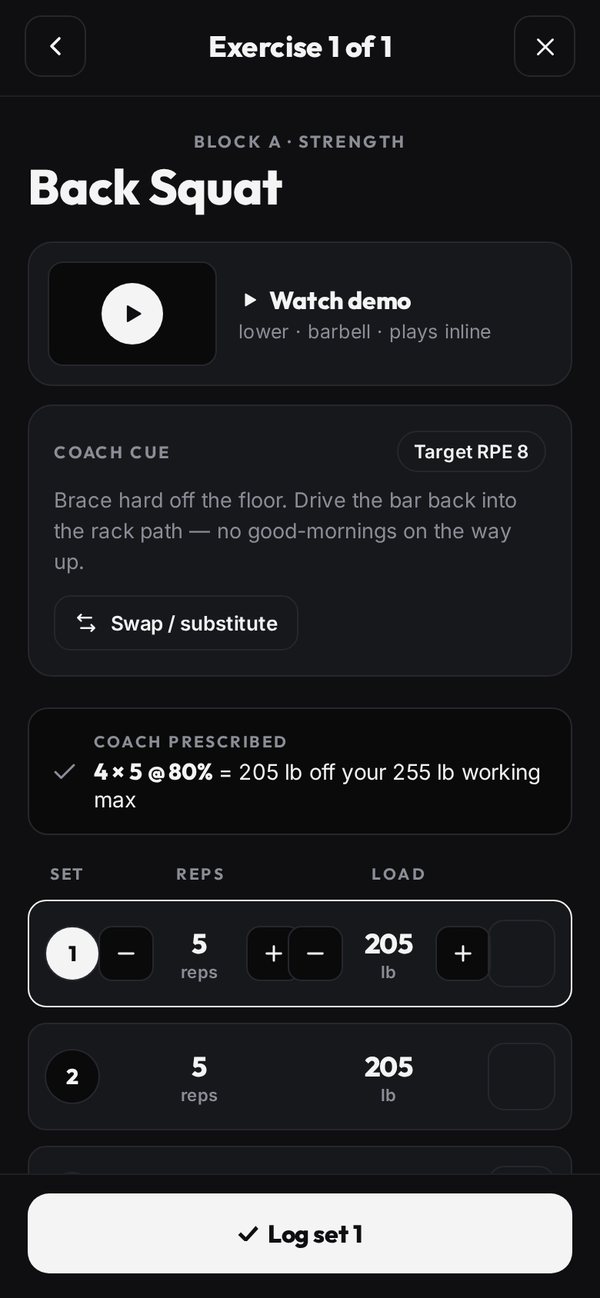
- Workouts and monthly program templates assigned to a person or a team: sets, reps, tempo, and loads as a percentage of each athlete's working max. Athletes log each set in the app.
- Testing
- Tracked tests such as the 10-10 fly, broad jump and approach jump, plus lifts. PR history, working maxes, and a training-report PDF for the athlete or parent.
- Member app
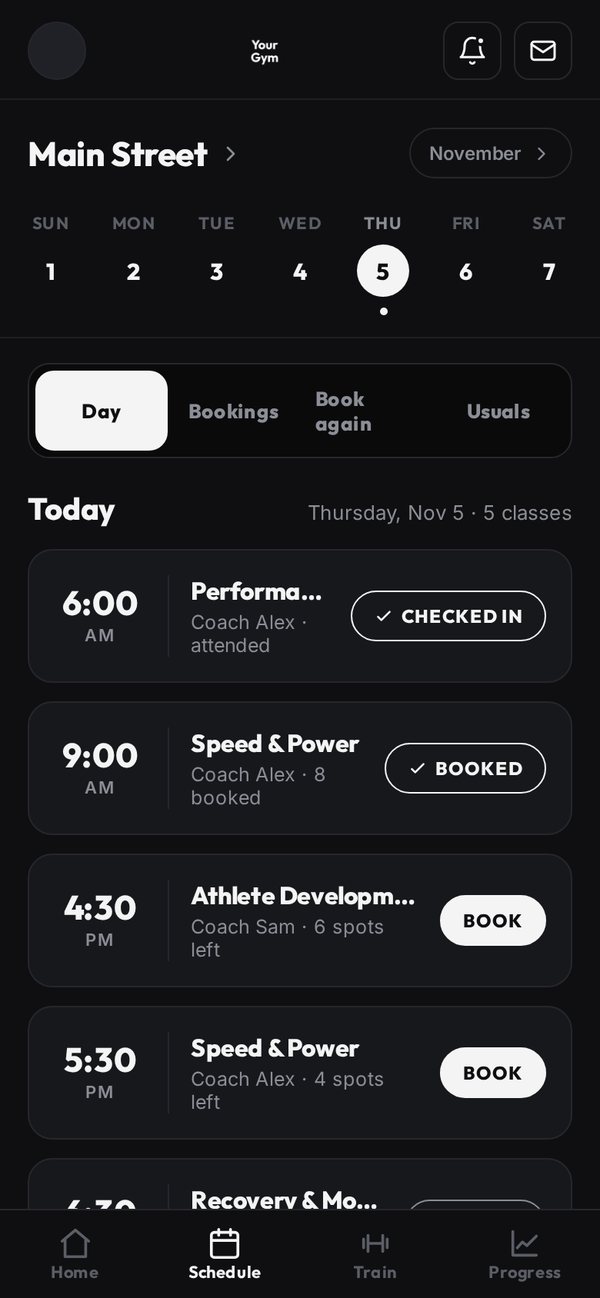
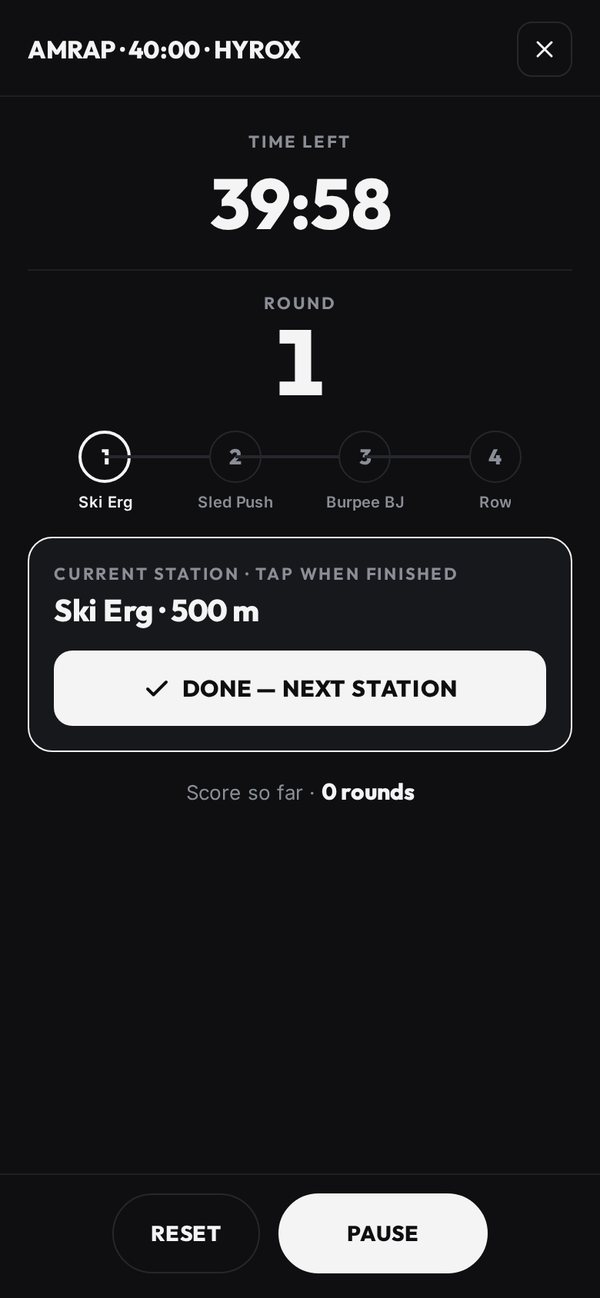
- An iPhone app published under your gym's name, with Android to follow; Android members use the web app until then. Booking, a QR membership card, today's workout, interval timers, progress charts and messages with coaches.
- Gym-floor TV
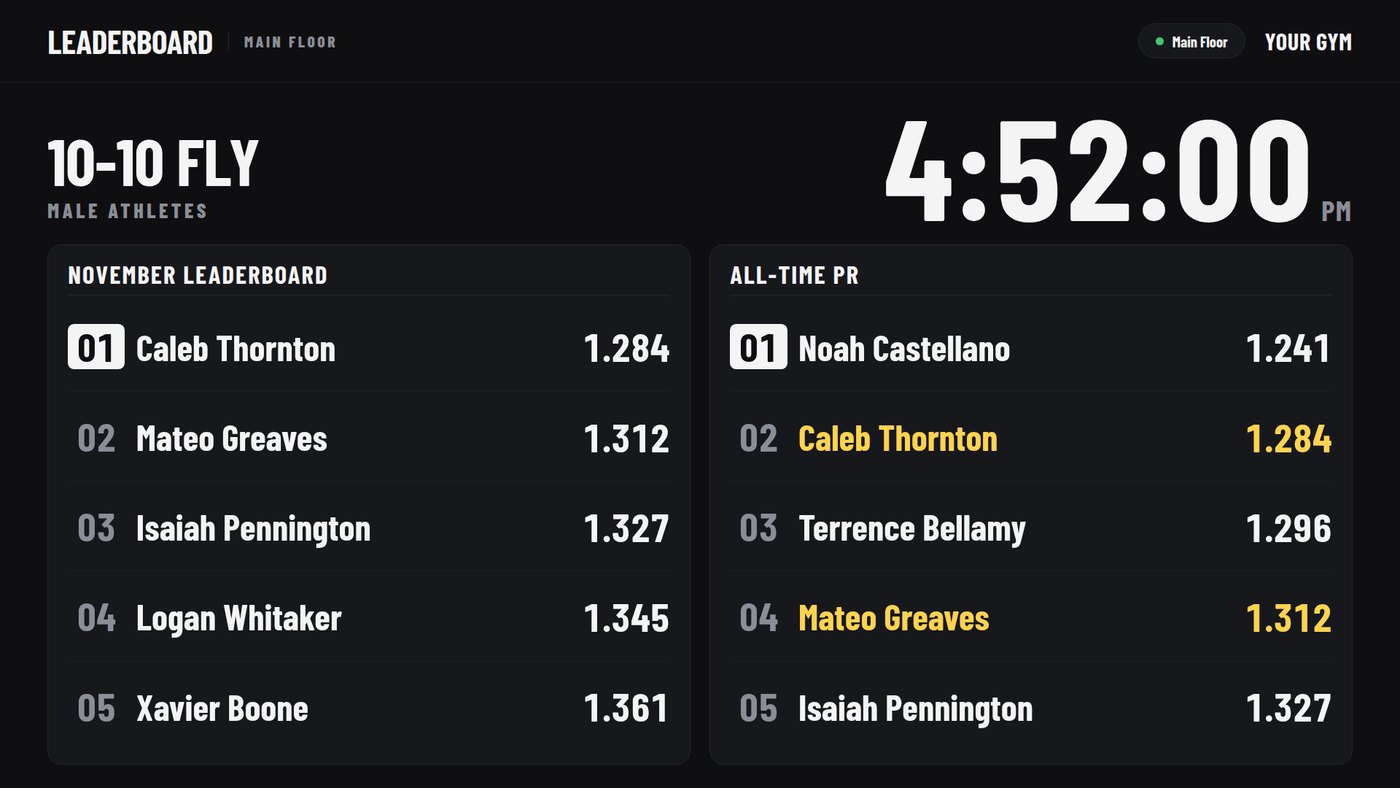
- Monthly and all-time leaderboards by test, rotating on any screen with a web browser. For AMRAP, EMOM and race-style classes, a live board that athletes update from their phones.
- Families and youth athletes
- Parent accounts linked to their kids, parent-completed intake for children under 13, and observe-only logins for school and club coaches.
- Website and intake
- Every plan has an online intake form with the waiver and assessment booking. New sign-ups wait in a review queue until you accept them. Elite adds a custom website, built and hosted for your gym.
- Reports
- Revenue, paying members, past-due accounts, members who haven't been in for three weeks, and how full each session runs.
What members see
The member app and the gym TV, shown on a demo gym called “Your Gym”. Each gym gets its own name, logo and colors. Demo data; no real members.
Who uses it
The first gym on the platform is a sports-performance gym in Pittsburgh that trains high-school and college athletes, adults and school teams. It is switching over in November 2026, and its public website runs on the platform too.
Much of the platform was built around how its coaches run sessions: testing days, team rosters, monthly program blocks and the TV on the gym floor.
How switching works
These are the actual steps, in order. Standard onboarding and data migration are included in every plan at no charge.
- Demo call. We go through how your gym runs today and what you use for booking, billing and programming.
- Agreement and checklist. You sign the services agreement and get a login to the client portal, which has a checklist of everything we need from you: logo, locations, membership plans and prices, coach bios, and your waiver and terms.
- Your own instance. We set up a separate copy of the platform for your gym, with its own database, your name, logo and colors, your locations and your plans.
- Your data. You send exports from your current software. Training history from TrainHeroic and contacts and payments from PushPress import directly, with a preview before anything is saved. For anything else, we move the members, families and memberships for you.
- Stripe. You connect your own Stripe account from your console (Business, Billing). If members' cards are already saved in that Stripe account, they stay. Cards held by another processor can't be transferred, so those members add a card once in the new app, timed around your billing date so nobody is charged twice or skipped.
- Run both side by side. Your staff use the new console alongside the old system, we pair the gym TVs, and you pick a go-live date in writing.
- Go-live. Members get their invites to the app, and we point your domain at the new site, with a tested way back if something goes wrong.
Pricing
One monthly price per location. If you connect your own Stripe account, we take nothing from your card payments.
| Plan | Per month | What's included |
|---|---|---|
| Core | $250 | Scheduling, check-in, memberships and billing, messages, reports, website intake. |
| Performance | $400 | Core, plus programming, testing and PRs, the TV boards, teams and school coaches, and Social Studio graphics. |
| Elite | $550 | Performance, plus your own branded iPhone app (Android to follow), a custom website, and bookkeeping. |
| Each extra location | $75 | Any plan. |
Talk to us
The demo is a 30-minute video call. We'll show you the console, the member app and the TV board on a demo gym, ask how you run things now, and tell you plainly whether it would fit. Use the form on the contact page or email [email protected].